Share your screen with friends and other users

Sharing your desktop with other users is becoming an increasingly common function for workplaces, tech support desks and tutors.

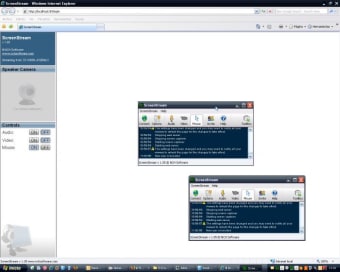
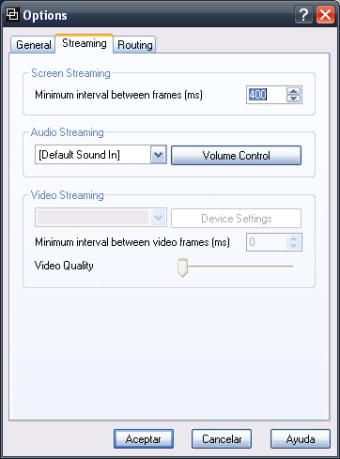
Screen Stream is another effort to make that process increasingly easier and it's not a bad little package. Best of all, unlike some similar programs, it does not require any prior installation to use. One of the main advantages is that you can open it directly with whatever internet browser you use. In addition, it's a great tool for video conferencing because it also supports audio streaming so others can hear what you are saying. Another plus is that the program is totally free which is refreshing when some companies are starting to charge for this kind of service via dedicated servers. This desktop screen sharing program is free. It used to come bundled with the developer's telephone conferencing suite but it's now a standalone program in it's own right. On the minus side, there is a delay when connecting and this will also affect the sharing of screens making it slow and sluggish to use.

For a free and simple desktop sharer with no installation required, this is an impressive package nevertheless.


  • Pros

    • Free to use
    • Requires no installation
  • Cons

    • Can be slow at sharing
 0/4

App specs

  • License

    Free

  • Version

    1.05

  • Latest update

  • Platform

    Windows

  • OS

    Windows 2003

  • Language

    English

  • Downloads

    19.2K

    Last month's downloads

    • 58
  • Size

    356.78 KB

  • Developer

Program available in other languages


User reviews about Screen Stream

Have you tried Screen Stream? Be the first to leave your opinion!

Add review

You may also like

Alternatives to Screen Stream

Explore Apps

Latest articles

Laws concerning the use of this software vary from country to country. We do not encourage or condone the use of this program if it is in violation of these laws.

Softonic

Is Screen Stream safe?

100/100

Score result: Clean

This file passed a comprehensive security scan using VirusTotal technology. It is safe to download.

  • Virus free
  • Spyware free
  • Malware free
  • Verified by Security Partners

    VirusTotal logo

Scan Info

Last scan
Tuesday, November 28, 2023
Scan provider
VirusTotal

Softonic security commitment

Screen Stream has been thoroughly scanned by our advanced security systems and verified by industry-leading partners. This file comes from the official developer and has passed all our security checks, showing no signs of viruses, malware, or spyware. For more information, visit our Security and Trust Center